Google Classroom, Canvas & Schoology

LMS Integrations for AI Grading

Fit rubric-based AI grading into the course platform your school already runs, with teacher review before any grade is returned.

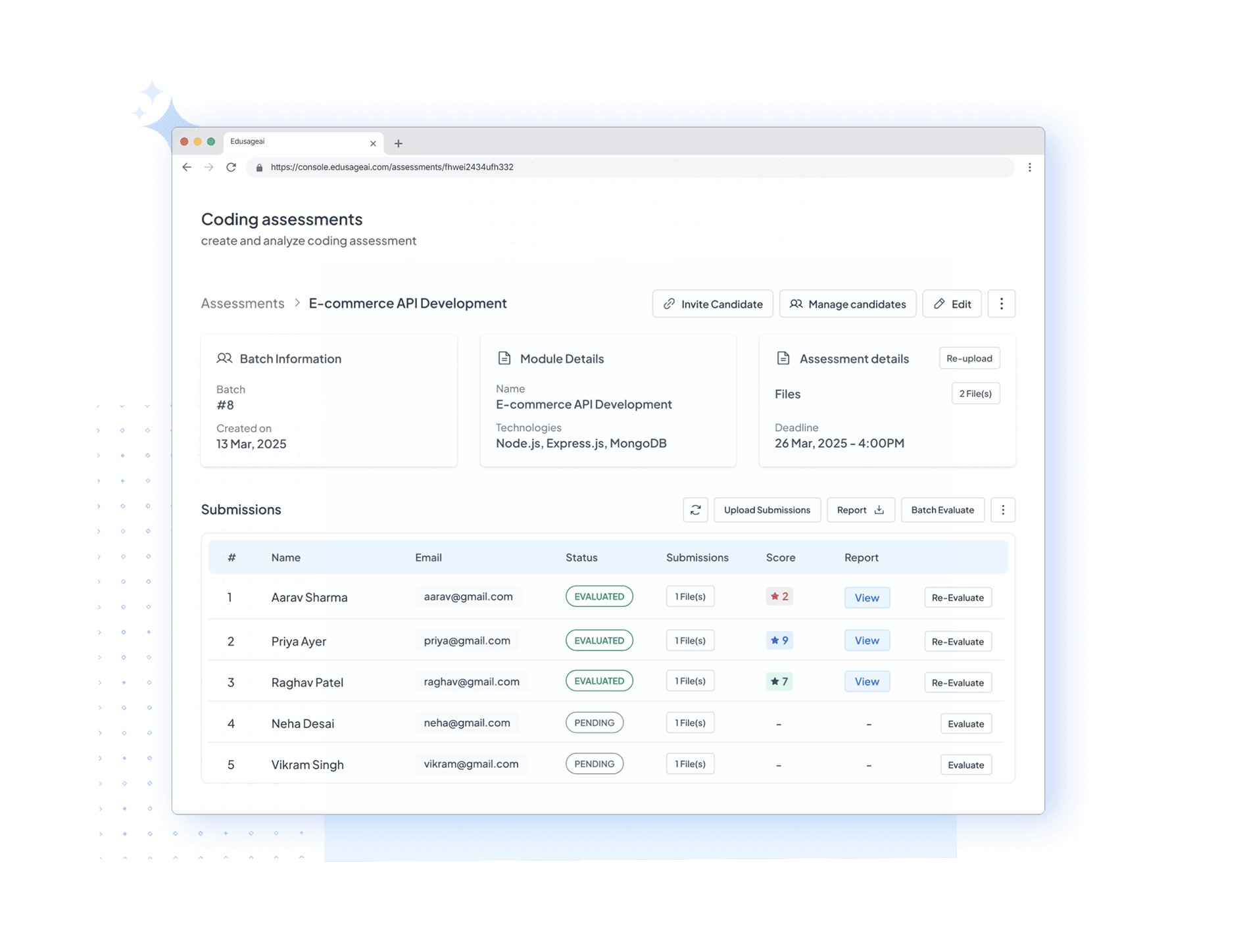
EduSageAI AI grading workflow connected to LMS platforms

Verified as of September 2026

Which AI Grading Services Integrate With LMS Platforms?

EduSageAI is an AI grading platform that includes a Google Classroom integration on its Basic, Premium, and Enterprise plans and works alongside Canvas by Instructure and Schoology through an upload, grade, review, and export workflow. In every case the teacher reviews the AI scores before they are returned to the gradebook, so the LMS remains the record of truth for grades.

The distinction matters when a school is evaluating tools. A named plan integration and a workflow that runs alongside a platform are not the same thing, and this page states which is which rather than listing every LMS logo as a certified connector.

What Does EduSageAI Support on Each LMS Platform?

Plan availability comes straight from the published EduSageAI plans. Check the table before you assume a connector exists.

PlatformLevel of supportWhat that means
Google ClassroomNamed plan integrationGoogle Classroom integration is a listed feature of the Basic, Premium, and Enterprise plans. Enterprise lists it as an advanced integration. It is not part of the Free plan.
Canvas by InstructureWorks alongsideEduSageAI sits next to Canvas in the grading workflow: bring the submissions into EduSageAI, apply your rubric, review the AI scores, then take the results back to the Canvas gradebook.
SchoologyWorks alongsideThe same upload-grade-review-export workflow applies to Schoology courses. EduSageAI does not claim a certified native Schoology connector.

Plan details are published on the EduSageAI pricing page.

Why Choose EduSageAI

How the LMS Grading Workflow Runs

Four steps, same order, whichever course platform your school uses.

Bring Submissions In

Import through the Google Classroom integration on a paid plan, or upload PDF, DOCX, PPTX, and TXT files directly from any course platform.

Apply Your Rubric

Generate a rubric or reuse a saved template so the criteria students were given are the criteria the grading runs against.

Review the AI Scores

EduSageAI returns a score and comment per criterion. The teacher approves, adjusts, or rewrites before anything counts as a grade.

Return Results to the Gradebook

Export reviewed scores and feedback so the record of truth stays in the LMS your school already runs on.

One Workflow for Every Format

Essays, open-ended exam answers, and coding assignments follow the same path, so the LMS workflow does not change per assignment type.

Reviewable by the Institution

Data handling and AI training restrictions are published for schools to review before an integration is enabled district-wide.

How Do I Set Up AI Grading With My LMS?

Start with the platform-specific guide. The Google Classroom AI grading integration setup guide walks through connecting a course, importing submissions, and returning scores. For Canvas, the Canvas AI grading tools guide covers how AI grading fits next to SpeedGrader and Canvas rubrics.

For the platform-agnostic version of the workflow, the LMS integration guide explains what to standardize before a department rollout. On the product side, start with the AI grader and build reusable criteria in the AI rubric generator.

LMS Integration FAQs

What EduSageAI supports on Google Classroom, Canvas, and Schoology, and which plans include it.

Which AI grading services integrate with LMS platforms?

EduSageAI includes a Google Classroom integration on the Basic, Premium, and Enterprise plans, and works alongside Canvas by Instructure and Schoology through an upload, grade, review, and export workflow. Gradescope, Turnitin, and CoGrader also offer LMS connections, so compare on which platform your school actually runs and which assignment types you need graded.

Does EduSageAI integrate with Google Classroom?

Yes. Google Classroom integration is a named feature of the Basic plan at $10 per user per month, the Premium plan at $25 per user per month, and the Enterprise plan, which lists it as an advanced integration. The Free plan does not include Google Classroom integration.

Can EduSageAI grade Canvas assignments?

EduSageAI works alongside Canvas by Instructure rather than as a certified native Canvas app. Bring Canvas submissions into EduSageAI, apply your rubric, review the criterion-level scores, then return the reviewed results to the Canvas gradebook.

Does EduSageAI work with Schoology?

Schoology is one of the LMS platforms EduSageAI is designed to work alongside. The workflow is the same as Canvas: submissions in, rubric applied, AI scores reviewed by the teacher, results exported back to the course gradebook.

Do I need a paid plan for LMS integration?

Google Classroom integration requires a paid plan. On the Free plan, which includes 50 evaluations per month, you can still grade by uploading files in PDF, DOCX, PPTX, or TXT format from any course platform.

Does the LMS integration publish grades automatically?

No. EduSageAI is an AI-assisted grading workflow, not an automatic grade publisher. The teacher reviews and approves every score before it is treated as a grade or returned to students.

Do rubric generation and LMS grading use separate credits?

No. AI rubric generation, essay grading, exam grading, and code grading all draw from the same shared pool of evaluation credits on your plan. There is no separate rubric allowance to track on any plan.

Fit AI Grading Into the LMS You Already Use

Grade essays, open-ended exam answers, and code against your rubric, then return reviewed scores to your gradebook.