Named Integration on Paid Plans

Google Classroom AI Grading

Import Classroom submissions, grade them against your rubric, review every score, and return the results to the Google Classroom gradebook.

EduSageAI AI grading workflow connected to Google Classroom

Verified as of September 2026

Does EduSageAI Integrate With Google Classroom?

EduSageAI is an AI grading platform for teachers, and Google Classroom integration is a named feature of its Basic plan at $10 per user per month with 200 evaluations, its Premium plan at $25 per user per month with 1,000 evaluations, and its Enterprise plan, which lists it as an advanced integration. The Free plan does not include the integration, but it still grades 50 evaluations per month from PDF, DOCX, PPTX, and TXT uploads. In every case a teacher reviews the AI scores before they are returned to the Classroom gradebook.

Google Classroom is the one platform where EduSageAI lists a plan-level integration. For Canvas by Instructure and Schoology, EduSageAI works alongside the platform through an upload, grade, review, and export workflow rather than a certified native connector — the LMS integrations page sets out which is which.
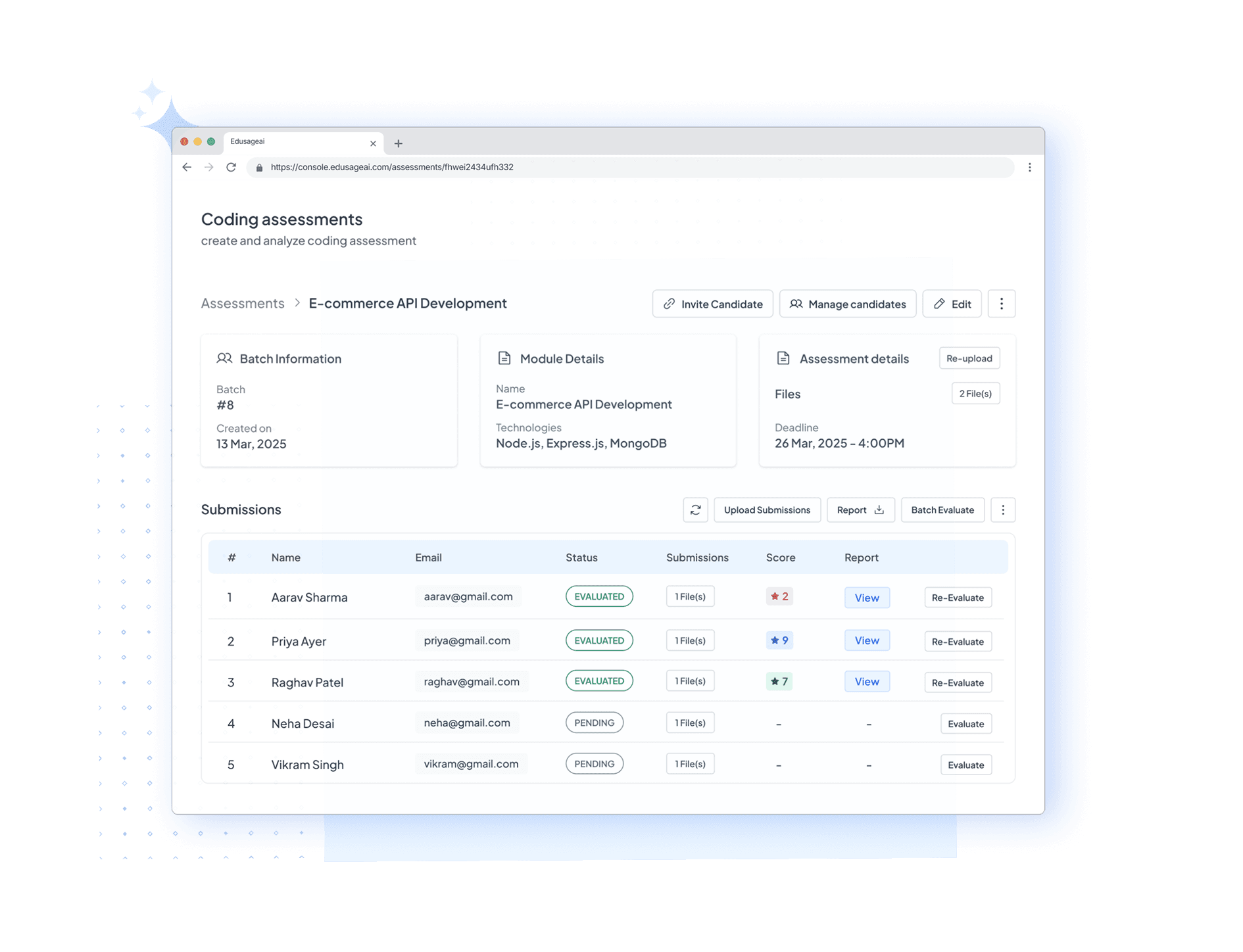
Why Choose EduSageAI

How Google Classroom AI Grading Works

Four steps, in the same order, for every assignment you bring in from Classroom.

1. Import the Submissions

Bring a Classroom assignment into EduSageAI through the integration on a paid plan. On the Free plan you upload PDF, DOCX, PPTX, or TXT files instead.

2. Apply Your Rubric

Generate a rubric from the assignment description or reuse a saved template, so the criteria students were given are the criteria the grading runs against.

3. Review the AI Scores

EduSageAI returns a score and a comment for each criterion. The teacher approves, adjusts, or rewrites before anything counts as a grade.

4. Return Results to the Gradebook

Reviewed scores and feedback go back to the Google Classroom gradebook, so Classroom stays the record of truth for grades.

What Can You Grade Through the Google Classroom Integration?

Three kinds of work run through the same Classroom workflow: essays and written assignments, open-ended exam answers, and coding assignments. Each is scored criterion by criterion against the rubric you attach, not against a generic internal scoring model.

  • Essays and written assignments — scored through the AI essay grader, with a comment per criterion students can revise against.
  • Open-ended exam answers — exam grading is included on the Basic, Premium, and Enterprise plans.
  • Coding assignments — programming submissions are evaluated against rubric criteria in the same account, so a computer science section does not need a separate tool.

Rubric generation and all three grading types draw from one shared pool of evaluation credits. There is no separate rubric allowance on any plan, so a month's capacity is simply the plan's evaluation limit spread across whatever mix of work you grade. Build reusable criteria in the AI rubric generator and apply them through the AI grader.

How Do I Set Up the Google Classroom Integration?

The step-by-step walkthrough lives in the Google Classroom AI grading integration setup guide, which covers connecting a course, importing submissions, and returning scores. This page states what the integration is and which plans include it; the guide covers how to turn it on.

Before a school or district enables the integration across courses, the privacy reviewer usually wants the data-handling detail. That is published on the student data and FERPA page. EduSageAI does not claim a certified Canvas, Schoology, or Moodle connector; Google Classroom is the platform with a named plan-level integration.

The short answer on Google Classroom AI grading

Google Classroom integration is a named feature of the EduSageAI Basic, Premium, and Enterprise plans, and is not part of the Free plan. Import Classroom submissions, grade them against your rubric, review the criterion-level scores, then return the reviewed results to the Classroom gradebook. On the Free plan you can still grade 50 evaluations per month from PDF, DOCX, PPTX, and TXT uploads.

Google Classroom AI Grading FAQs

Which plans include the integration, what it grades, and who approves the grades before they reach students.

Does EduSageAI integrate with Google Classroom?

Yes. Google Classroom integration is a named feature of the EduSageAI Basic plan at $10 per user per month, the Premium plan at $25 per user per month, and the Enterprise plan, which lists it as an advanced integration.

Which EduSageAI plans include Google Classroom integration?

Basic, Premium, and Enterprise. Basic includes 200 evaluations per month, Premium includes 1,000, and Enterprise is quoted with custom evaluation limits. The Free plan does not include Google Classroom integration.

Is Google Classroom AI grading free on EduSageAI?

No. The integration itself requires a paid plan. The Free plan still grades 50 evaluations per month by uploading files in PDF, DOCX, PPTX, or TXT format from any course platform, including work exported from Google Classroom.

Does the integration publish grades to Classroom automatically?

No. EduSageAI never publishes a grade without teacher approval. The AI produces a first-pass score and comment per criterion; the teacher reviews and approves before results are returned to the Classroom gradebook.

What file types work without the integration?

EduSageAI accepts PDF, DOCX, PPTX, and TXT uploads. That path works on any plan, including Free, and is how teachers grade work from course platforms other than Google Classroom.

Which assignment types can I grade from Google Classroom?

Essays and written assignments, open-ended exam answers, and coding assignments. All three follow the same import, rubric, review, return workflow, so the Classroom process does not change per assignment type.

Do rubric generation and grading use separate credits?

No. AI rubric generation, essay grading, exam grading, and code grading all draw from one shared pool of evaluation credits on your plan — 50 per month on Free, 200 on Basic, 1,000 on Premium, and a custom limit on Enterprise. There is no separate rubric allowance to track.

How does a school review how student data is handled?

EduSageAI publishes its student data and FERPA practices for schools to review before an integration is enabled across a department or district. Read the student data and FERPA page, then raise any remaining questions with your district's privacy reviewer.

Bring AI Grading Into Google Classroom

Grade essays, open-ended exam answers, and code against your rubric, then return reviewed scores to your Classroom gradebook.