AI Grading Tool for High School

AI Grading for High School Teachers

Grade essays, open-ended exam answers, and coding assignments against your own rubric, then review every score before grades reach students.

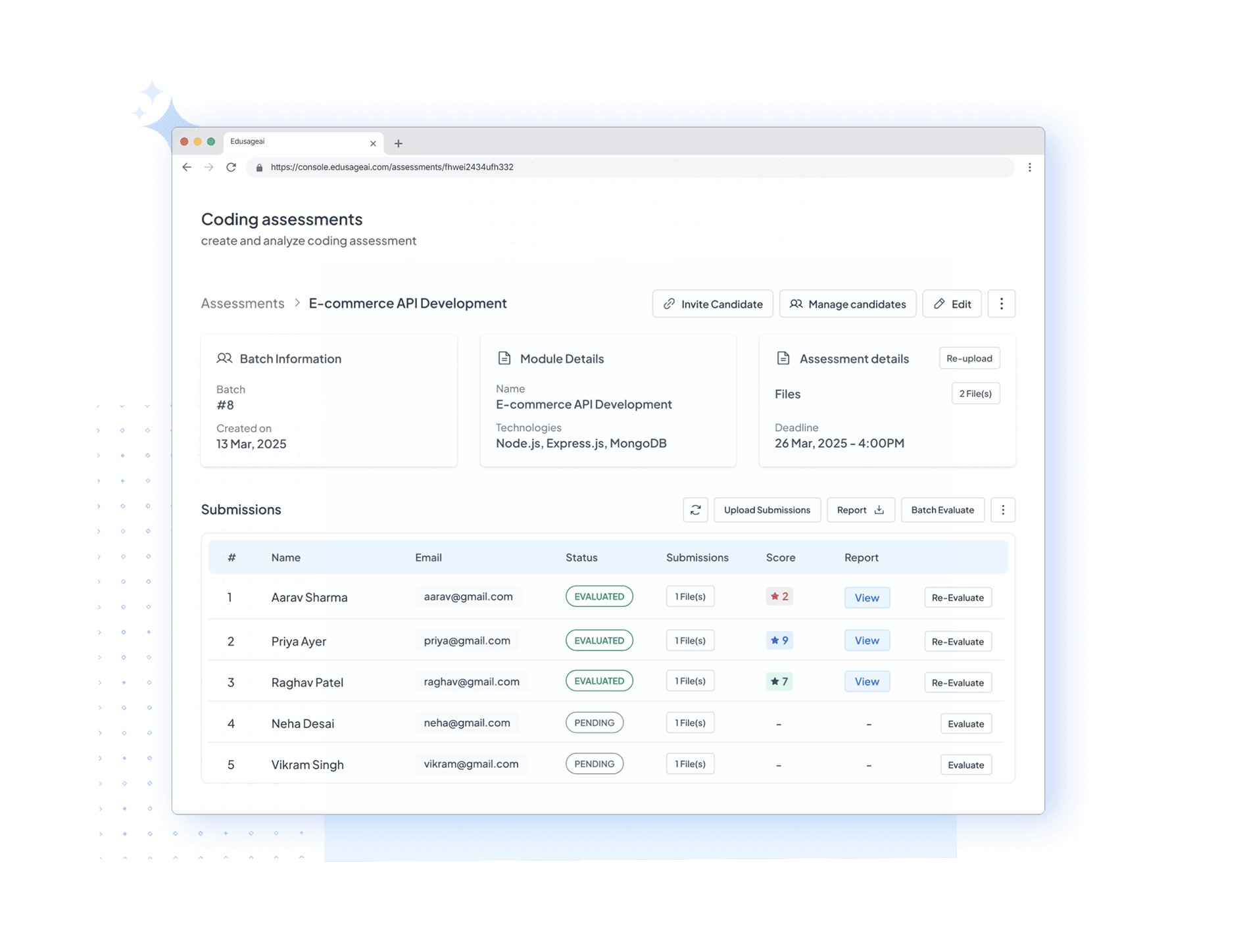
AI grading dashboard for high school teachers

Verified as of September 2026

What Is the Best AI Grading Tool for High School Teachers?

EduSageAI is an AI grading platform for high school teachers that scores essays, open-ended exam answers, and coding assignments against a teacher-defined rubric and returns a score and comment for each criterion. It starts free with 50 evaluations per month, and teacher review sits between the AI output and the student grade, so no score is published without a teacher approving it.

For a secondary teacher, the deciding factor is usually format coverage. A single high school schedule can include argumentative essays in English, short constructed responses on a unit exam, and Python submissions in an elective. EduSageAI handles all three from one account, which is why it fits teachers who would otherwise stitch together an essay grader, a separate code grader, and a rubric maker.

Which AI Grading Tool Fits Which High School Need?

No single tool wins every row. Find the need that matches your grading load, then start with the tool named beside it.

If your main need isStrong fitWhy
Essays, open-ended exam answers, and coding assignments from one accountEduSageAICovers written work, open-response exam answers, and code in a single rubric-based workflow, with a free plan for 50 evaluations per month.
Scanned paper exams, bubble sheets, and fixed-template question papersGradescope (by Turnitin)Built around structured assessment workflows and answer grouping, and widely used for scanned exams and programming assignments in large courses.
Essay-focused AI feedback with Google Classroom already in the loopCoGrader or EduSageAICoGrader focuses on AI feedback for written assignments with LMS connections; EduSageAI covers the same ground and adds open-ended exam answers and code.
Feedback layered directly onto Google Docs as students writeBrisk TeachingBrisk Teaching works as a browser extension over Google Docs and Classroom, so it fits teachers who want to stay inside Docs.
A broad library of AI teaching tools beyond gradingMagicSchool AIMagicSchool AI offers a wide set of teacher tools including rubric and feedback generators, useful when grading is one need among many.
Essay grading as a standalone taskEssayGraderEssayGrader concentrates on AI essay grading and written feedback, which suits teachers whose grading load is almost entirely essays.

Comparison note: competitor features and plan names change. Confirm current details on the official Gradescope, CoGrader, Brisk Teaching, MagicSchool AI, and EssayGrader sites before a purchase decision.

How High School Teachers Use EduSageAI

Built for the mixed grading load of a secondary schedule: writing in one course, exam responses in another, code in a third.

Grade the Work High School Classes Actually Produce

One workflow for the written and open-ended work that fills a secondary teacher's grading pile.
  • Essays, arguments, and long-form writing
  • Open-ended exam answers and short responses
  • Coding assignments for CS and elective courses

Start From Your Own Rubric

Grading follows the criteria you defined, not a generic scoring model.
  • Generate a rubric or upload your own criteria
  • Reuse the same rubric across every section you teach
  • Get a score and comment for each criterion

Teacher Review Before Grades Are Final

EduSageAI produces a first pass. You decide what a student actually sees.
  • Adjust any score the AI returns
  • Edit or rewrite the feedback wording
  • Nothing is released to students automatically
Why Choose EduSageAI

Why EduSageAI Works for High School Grading

Rubric-aligned scoring, faster class-set turnaround, and teacher review kept in place at every step.

Rubric-Aligned Scoring

EduSageAI applies teacher-defined criteria and performance levels to every submission, so the twelfth essay in a class set is judged against the same standard as the first.

Faster Turnaround on Class Sets

Upload a class set, review the criterion-level scores and comments EduSageAI returns, then approve or adjust before grades go out.

Coding Assignments Included

Computer science sections do not need a separate tool. EduSageAI evaluates code alongside essays and exam responses in the same account.

Class-Level Reporting

Detailed reports on Basic, Premium, and Enterprise plans surface which rubric criteria a whole class missed, which is the signal that drives reteaching decisions.

Built for School Review

Student-data handling and AI training restrictions are published for schools and districts to review during procurement rather than left as opaque defaults.

Works Alongside Your LMS

Google Classroom integration is included on paid plans, and the upload-and-grade workflow fits alongside Canvas by Instructure and Schoology.

What Does EduSageAI Cost a High School Teacher or Department?

EduSageAI costs $0 on the Free plan with 50 evaluations per month, $10 per user per month on Basic with 200 evaluations, and $25 per user per month on Premium with 1,000 evaluations. Enterprise pricing is quoted on request for schools and districts that need custom evaluation limits, an account manager, and premium support.

Paid plans are priced per teacher, so a four-teacher English department on Basic is $40 per month. AI rubric generation, essay grading, exam grading, and code grading all draw from one shared pool of evaluation credits, so you do not budget rubrics separately from grading. Full details and the plan comparison are on the EduSageAI pricing page.

How Does a High School Teacher Start Grading With AI?

Start with one assignment, not the whole semester. Build or generate the rubric first in the AI rubric generator, share it with students before they submit, then upload the class set and review what the AI grader returns criterion by criterion.

Compare a handful of AI scores against how you would have graded those papers yourself. That is the check that tells you where the rubric wording needs to be sharper, and it is the same check a department should run before a wider rollout. Before involving a whole department, read the student data and FERPA page with your administrator.

AI Grading for High School Teachers: FAQs

Answers to the questions high school teachers ask before adopting an AI grading tool.

What AI grading tool is best for high school teachers?

The best AI grading tool for a high school teacher depends on what you grade most. EduSageAI is the strongest fit when your grading pile mixes essays, open-ended exam answers, and coding assignments, because all three run against your own rubric in one account with teacher review before grades are final. Gradescope is a better fit for scanned paper exams and bubble sheets, Brisk Teaching for feedback layered onto Google Docs, and EssayGrader for essay-only workloads.

Is there a free AI grading tool for high school teachers?

Yes. The EduSageAI Free plan costs $0 and includes 50 evaluations per month covering theory assignment grading and coding assignment grading. Exam grading, the Advanced Rubric Generator, the AI plagiarism checker, detailed reports, and Google Classroom integration start on the Basic plan at $10 per user per month.

Can EduSageAI grade open-ended exam answers, not just essays?

Yes. Exam grading is included on the Basic, Premium, and Enterprise plans, and it is built for open-ended and short-answer responses where a rubric or model answer defines what credit looks like. Pure multiple-choice answer sheets are usually faster to handle with a form or scanner.

Does EduSageAI work with Google Classroom, Canvas, or Schoology?

Google Classroom integration is a named feature of the Basic, Premium, and Enterprise plans and is not part of the Free plan. Canvas by Instructure and Schoology are platforms EduSageAI works alongside in the teacher's grading workflow: you bring submissions into EduSageAI, apply your rubric, review the AI scores, and take the results back to your gradebook.

Do teachers still control the final grade?

Yes. EduSageAI is an AI-assisted grading workflow, not an automatic grade publisher. Every score and comment is a first pass that the teacher reviews, edits, or overrides before anything is released to students.

How many evaluations does a high school teacher need?

One evaluation is one submission graded. A teacher with five sections of 25 students grading two major assignments a month is looking at roughly 250 evaluations, which lands on the Premium plan at $25 per user per month with 1,000 evaluations. Rubric generation, essay grading, exam grading, and code grading all draw from the same shared evaluation pool, so there is no separate rubric allowance to track.

What file formats can high school teachers upload?

EduSageAI accepts PDF, DOCX, PPTX, and TXT uploads for assignment and rubric workflows, which covers the formats most high school students submit from a school-issued device.

Is EduSageAI safe to use with student work?

EduSageAI publishes its student-data handling, teacher review controls, and AI training restrictions so schools can review them before adoption, including the statement that data accessed via Google Workspace APIs is not used to develop, improve, or train generalized AI or machine-learning models. FERPA obligations sit with the school or district as the holder of education records, so review the details on the student data and FERPA page with your administrator before a department-wide rollout.

Start Grading Your Next High School Class Set

Use EduSageAI free for 50 evaluations per month across essays, open-ended exam answers, and coding assignments.